

If you are like me, you are constantly right clicking in a folder to open it in Visual Studio Code. The process is always, Right Click > Show More Options > Open with Code. I really don’t like the “Show More Options” step and would like the right-click to show me all the options all the time.
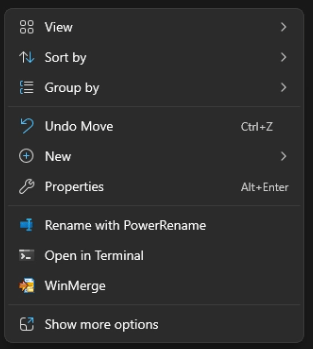
Good News! This can be fixed with a registry entry.
- Open a Command Prompt Window as Administrator
- Enter the command and press the enter key
reg add HKCU\Software\Classes\CLSID\{86ca1aa0-34aa-4e8b-a509-50c905bae2a2}\InprocServer32 /ve /d "" /f
You will need to restart the Windows Explorer. You can do this in Task Manager, or restart your computer:

Now when I right click, I get the full menu!
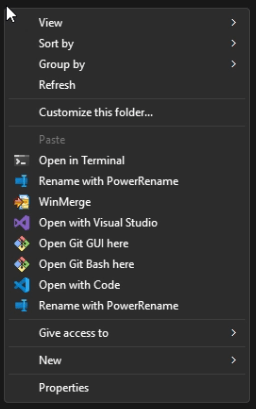
If you decide you need to revert back to the default menu system, you can run this command to delete the registry entry we created.
reg delete HKCU\SOFTWARE\Classes\CLSID\{86ca1aa0-34aa-4e8b-a509-50c905bae2a2} /f
I know it is a minor nuisance, but it is the little things that help make life a little better. I hope this helps improve your Windows Explorer based workflows.




 Aardvark Labs
Leave a comment