

In a recent post I wanted to share some source code, but I accidentally included my WIFI passwords in the code. The dangers of hardcoding WIFI creds aside, I wanted to remove this from GitHub. The problem is, if I update the file to remove the offending data, the Commit History shows the old file, passwords and all.
Here is the process to clear the commit history. Start by opening GitHub Desktop and opening a command prompt.
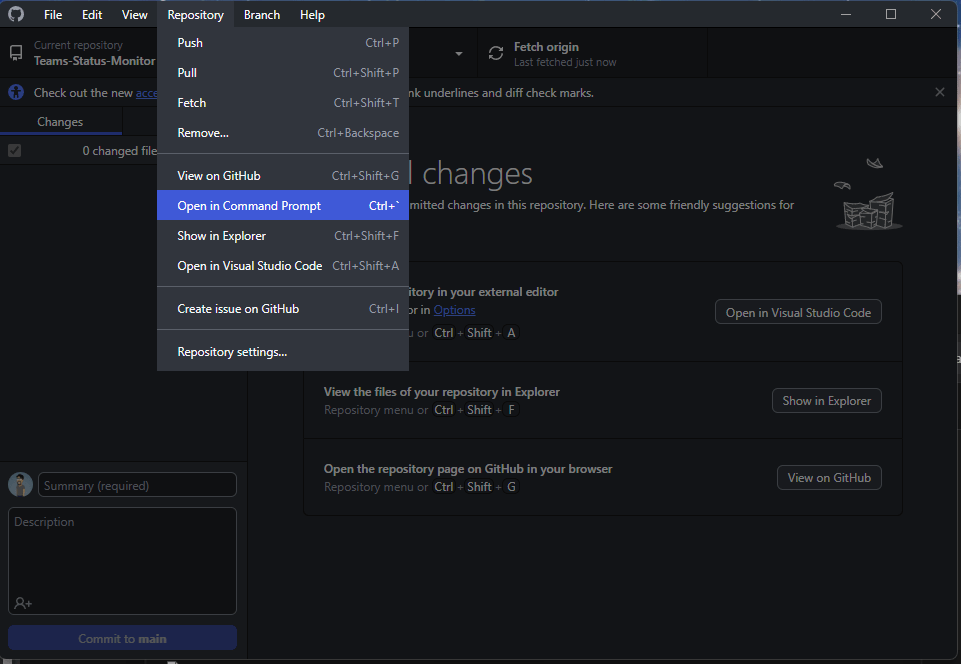
Here are the commands to enter into your Command Prompt Window.
- Checkout/create orphan branch (this branch won’t show in git branch command):
git checkout --orphan latest_branch
2. Add all the files to the newly created branch:
git add -A
3. Commit the changes:
git commit -am "commit message"
4. Delete main (default) branch (this step is permanent):
git branch -D main
5. Rename the current branch to main:
git branch -m main
6. Finally, all changes are completed on your local repository, and force update your remote repository:
git push -f origin main
Done!
Could I have just deleted the repository and created a new one with clean files? Sure, but this maintained anyone tracking for following that repository.
So please, don’t do what I did, sanitize your files before sharing. If you do make the same mistake I did, I hope this helps.




 Aardvark Labs
Leave a comment