

BC AL Journey #31
Pages and Page Extensions are a great way to create or update page layouts for Business Central. The issues are that they are “one size fits all”, meaning that they are perfect for nobody. What is needed is a page layout that can be customized based on a user or more specifically a user profile.
What we need is to be able to do is define a profile, then define customization to pages that are specific to that profile.
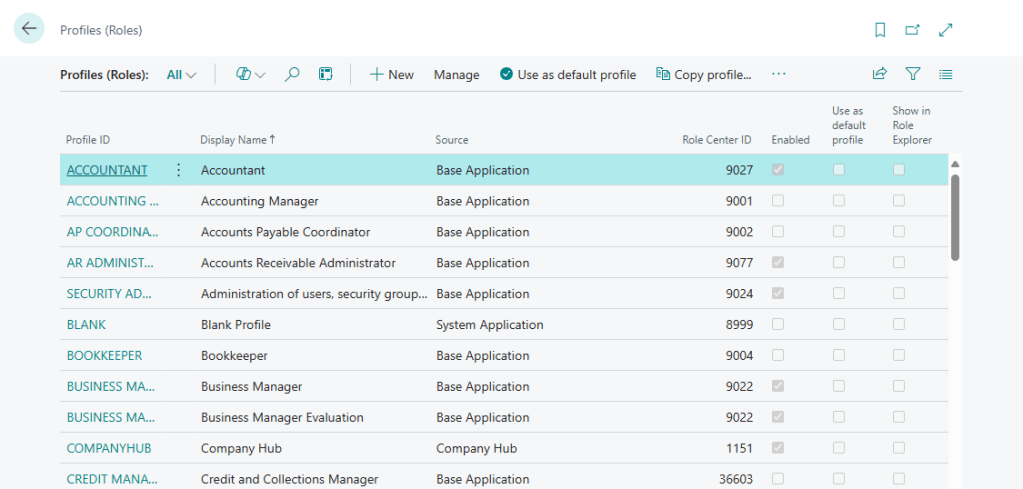
You can do this all by hand. In Business Central, open the Profiles (Roles) page.

From the list page that is presented we can see all the default profiles, if they are enabled, and what role center they are associated with.
You can click on a profile and see more details.
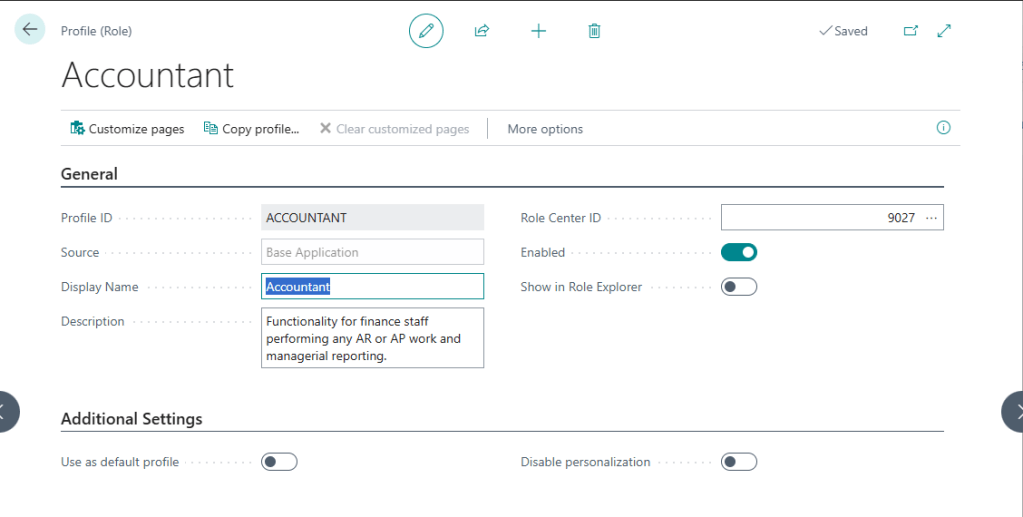
There is also a button for “Customize pages”. This will bring you into the stock page customization tool. Changes made here are applied to the selected Profile.
Clicking More Options, then Related, we can see things that extend this profile as well as manage the associated customized pages.
That is all good, and manual, and code free. What if want to create a Profile, with customized pages and deploy as a part of an extension?
For example, lets clean up the customer record so that it is targeted towards a data entry person with no accounting details. We don’t want them to accidentally change a posting group or something.
First, we are going to define the page customizations we want to create. Each Page Customization is an object in a file. There are no wizards to support these, but they are really simple objects.
I want to customize the Customer List and Customer Card. The list is first.
We want to remove the financial data from the Customer List.

I created a file in the 16 – Profiles folder called ARDDataEntryCustomerList.PageCust.al
pagecustomization ARD_DataEntryCustomerList customizes "Customer List"
{
    layout
    {
        modify("Balance Due (LCY)")
        {
            Visible = false;
        }

        modify("Balance (LCY)")
        {
            Visible = false;
        }
    }

    actions
    {
        modify(Statistics)
        {
            Visible = false;
        }

        modify(CustomerLedgerEntries)
        {
            Visible = false;
        }
    }
}
Looking at the code we see that it is a PageCustomization object type, but there is no Object ID. We don’t have to define a number for these. Be sure you use a prefix in the name, without an id number collisions are a real risk. We can also see that it customizes the Customer List object.
From that point on it acts a lot like a Page Extension. We can modify and move fields around the page. We can also modify Actions, like hiding the statistics and customer ledger entries links.
The other change we want to make is to simplify the Customer Card. We need to remove all the things in the red boxes. Let’s also move the Customized Calendar field from the Shipping group to the General Group. Lastly, we will add the Search Name after the Name field.
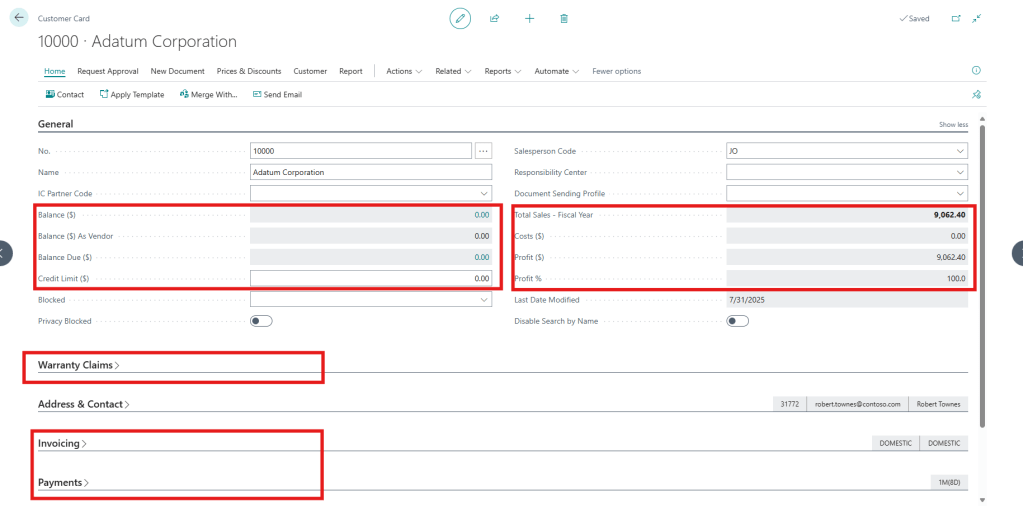
I created another file in the 16 – Profiles folder called ARDDataEntryCustomerCard.PageCust.al.
pagecustomization ARD_DataEntryCustomerCard customizes "Customer Card"
{
    layout
    {
        addafter(Name)
        {
            field(SearchName; Rec."Search Name")
            {
                ApplicationArea = All;
                Visible = true;
            }
        }

        moveafter("Privacy Blocked"; "Customized Calendar")

        modify(Invoicing)
        {
            Visible = false;
        }

        modify(Statistics)
        {
            Visible = false;
        }

        modify(Payments)
        {
            Visible = false;
        }

        modify(ARDWarrantyClaims)
        {
            Visible = false;
        }

        modify("Balance (LCY)")
        {
            Visible = false;
        }

        modify("Balance Due (LCY)")
        {
            Visible = false;
        }

        modify("Credit Limit (LCY)")
        {
            Visible = false;
        }
        modify(TotalSales2)
        {
            Visible = false;
        }

        modify(AdjProfitPct)
        {
            Visible = false;
        }

        modify("CustSalesLCY - CustProfit - AdjmtCostLCY")
        {
            Visible = false;
        }

        modify(AdjCustProfit)
        {
            Visible = false;
        }

        modify(BalanceAsVendor)
        {
            Visible = false;
        }
    }
}
More of the same that we saw on the list page. We can show/hide actions if we like, but we did that on the list.
The last component we need is the Profile to associate these Customizations with. A new file in the 16 – Profiles folder is needed. ARDDataEntry.Profile.al
profile ARD_DataEntry
{
    Caption = 'Data Entry';
    ProfileDescription = 'Profile for Data Entry users';
    Description = 'Data Entry';
    RoleCenter = "Accountant Role Center";
    Customizations = "ARD_DataEntryCustomerList", "ARD_DataEntryCustomerCard";
}
Just like the Page Customization objects, there is no Object ID, just a type and a name. A critical component of this object is the Role Center that it is associated with. This can be a stock or custom role center. The other bit is a comma delimited list of Customizations, which we have already created.
A customization can be listed in more than one profile. This allows you to reuse page customizations for several similar profiles.
Let’s see what this looks like. After publishing our code we need to change our profile.
Click on the Gear and select “My Settings”

We will then need to click the … in the Role field.
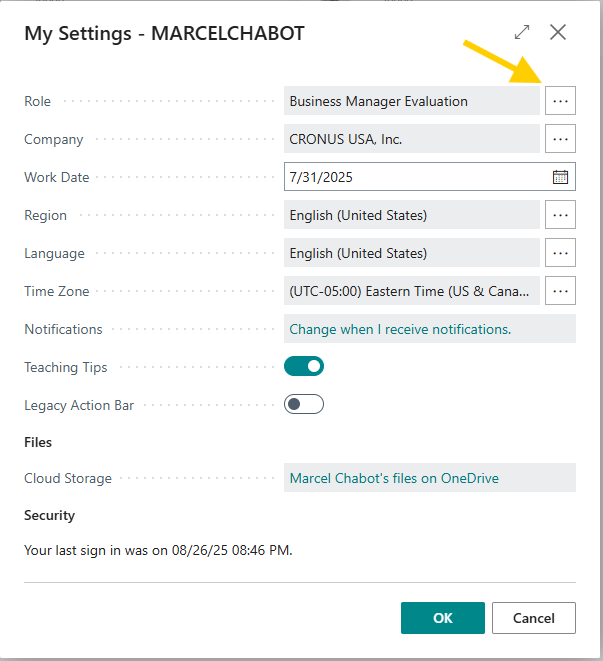
Find and select our profile from the list.
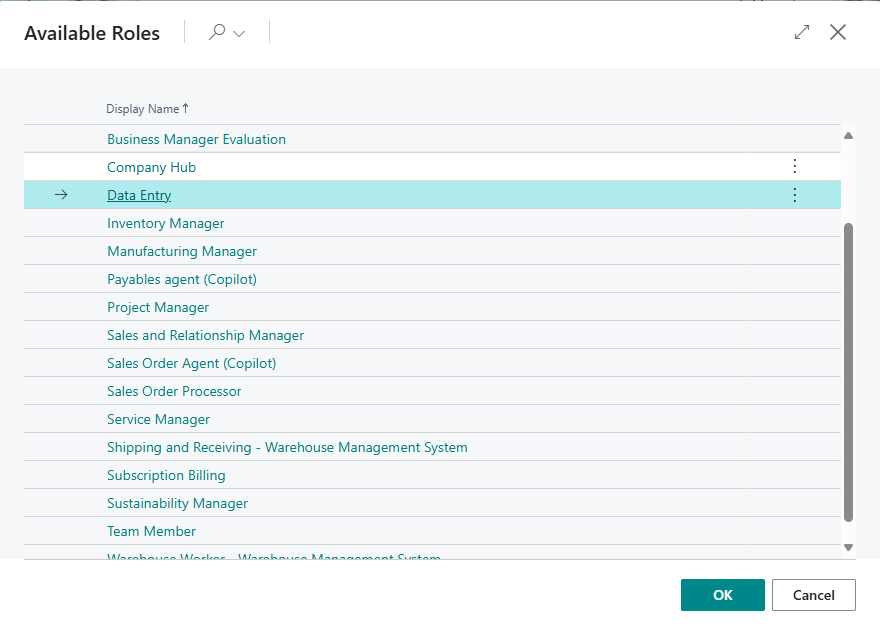
Now click OK to apply the change.
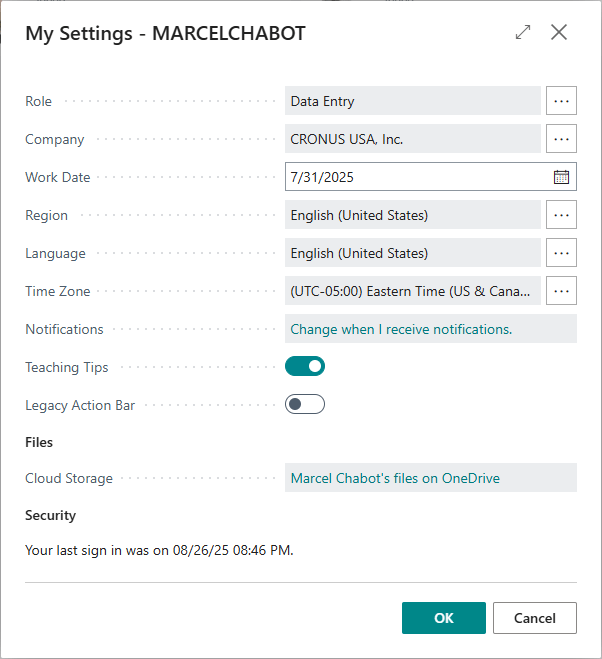
A short refresh later and we can see our changes applied.
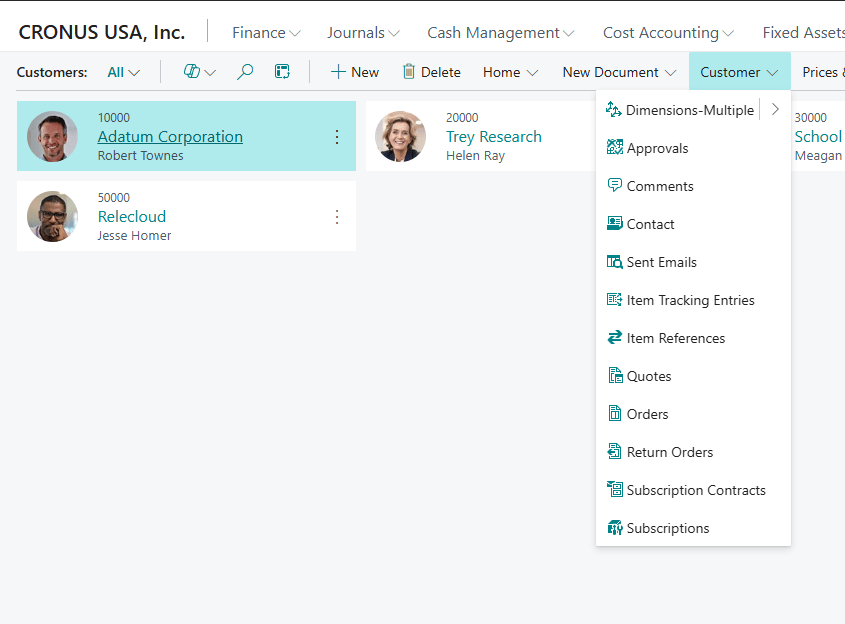
In the customer list we can no longer see the balances, and the Actions for Statistics and Customer Ledger Entries are gone.
Taking a look at the Customer Card, we can see the transformation there as well.
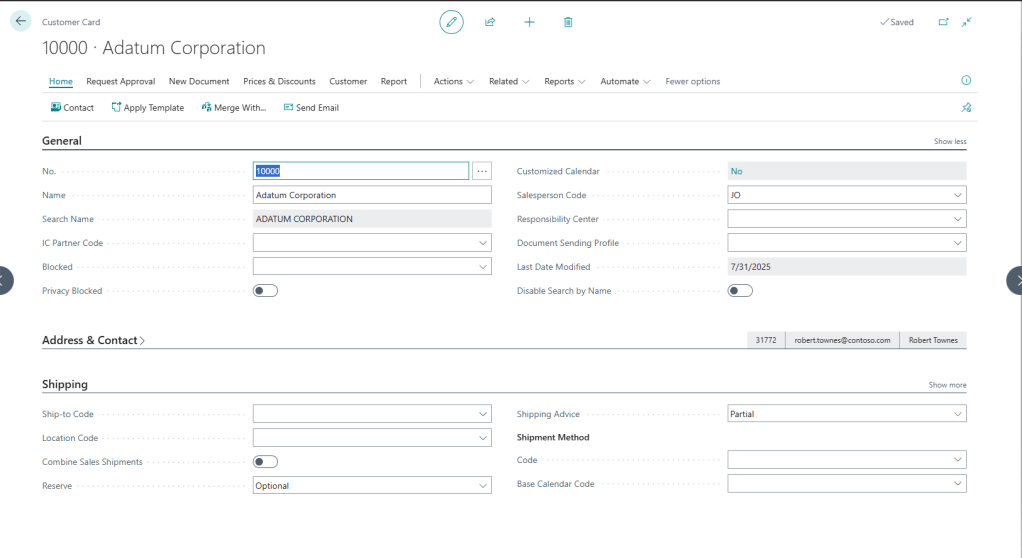
Wow, this can do a lot of really great stuff. What can it NOT do? Stated simply it cannot ADD functionality to pages or fields. You can’t add triggers, procedures, or actions. This maintains parity with the in-browser Page Customization capabilities.
Not being able to add functionality here is actually a really good thing. Functionality is defined by Page and Page Extensions and is the same for EVERYONE. If you see a field on the page, it has the same rules for everyone. This is strictly a layout tool, and it means when chasing down a functional issue, you don’t have to worry about Page Customizations contributing to a data handling issue.
If we go back to the Profiles (Roles) list page we can see our profile.

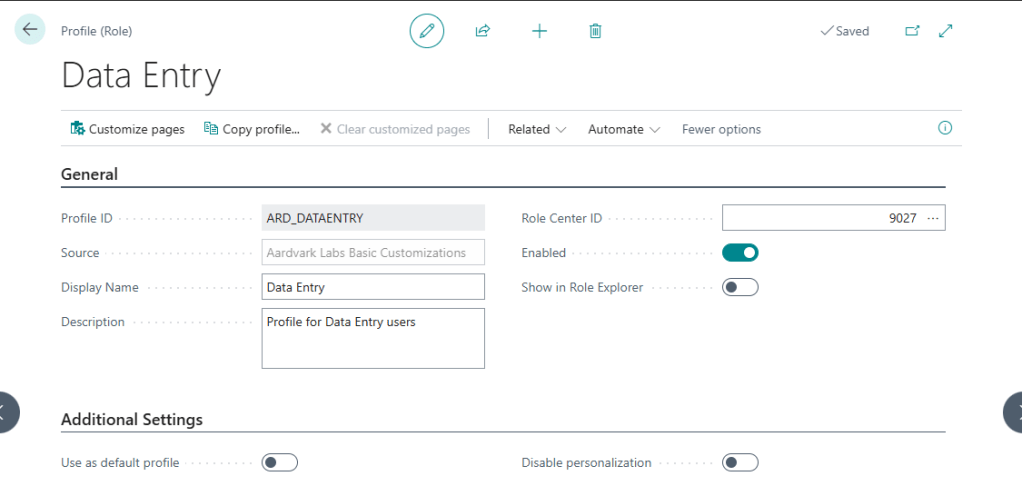
We can drill into the Profile and see the details we provided in the customization.
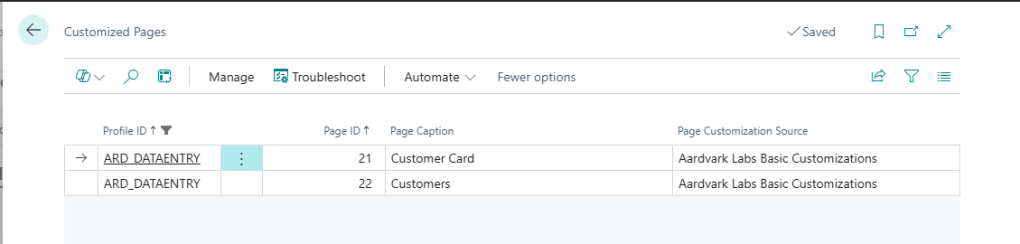
Going through the Related menu we can select Customized Pages and see the pages we customized.

I hope this help you tailor your Business Central pages to best suite the roles/profiles of your users. Let me know if you have any questions in the comments.
More information from Microsoft can be found here: Page customization object – Business Central | Microsoft Learn
Source Code for these examples are in GitHub.




 Aardvark Labs
Leave a comment