
AI Dev Log #1
This post will be less code and more pre-development/design work. As a part of my daily work, I’m given a requirements document from a supplier, and I have to translate it into something I can develop in Business Central AL. The problem is that there is a lot of documentation to review and never enough time. Let’s see if Copilot can help me get through this challenge.
The documentation is complex, the examples are limited, and the terminology doesn’t always align with Business Central. What I’m going to do is feed the documentation into Copilot, prompt through it, and see if we can get a clean mapping and some documentation I can use.
For this process I’m going to utilize the ACH Payments CSV File Upload Reference Guide for Chase. This file isn’t overly complex, but the documentation is freely available. Most of my requirement’s documents are marked confidential.
My Copilot for this process is the Microsoft 365 Copilot. The big value here is the use of Notebooks to compartmentalize the discovery and documentation process. I can come and go from a Notebook over the course of a couple days. I can also share the Notebook with others on my team.
I’m going to start with a clean notebook and upload the PDF documentation.
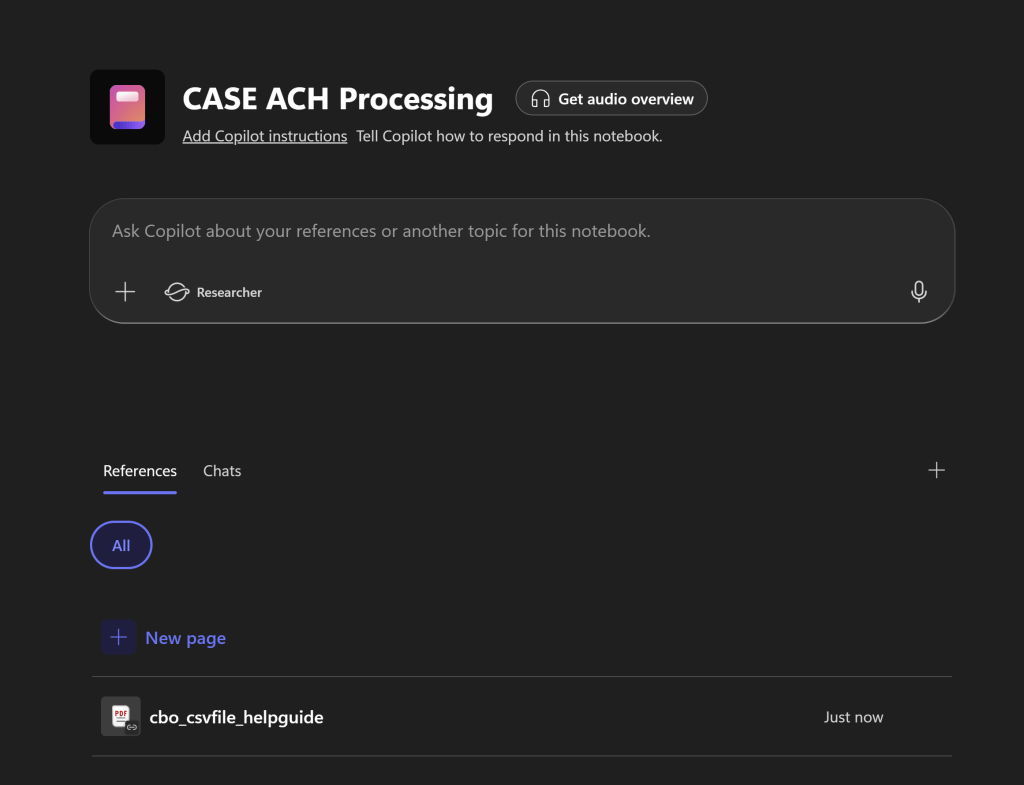
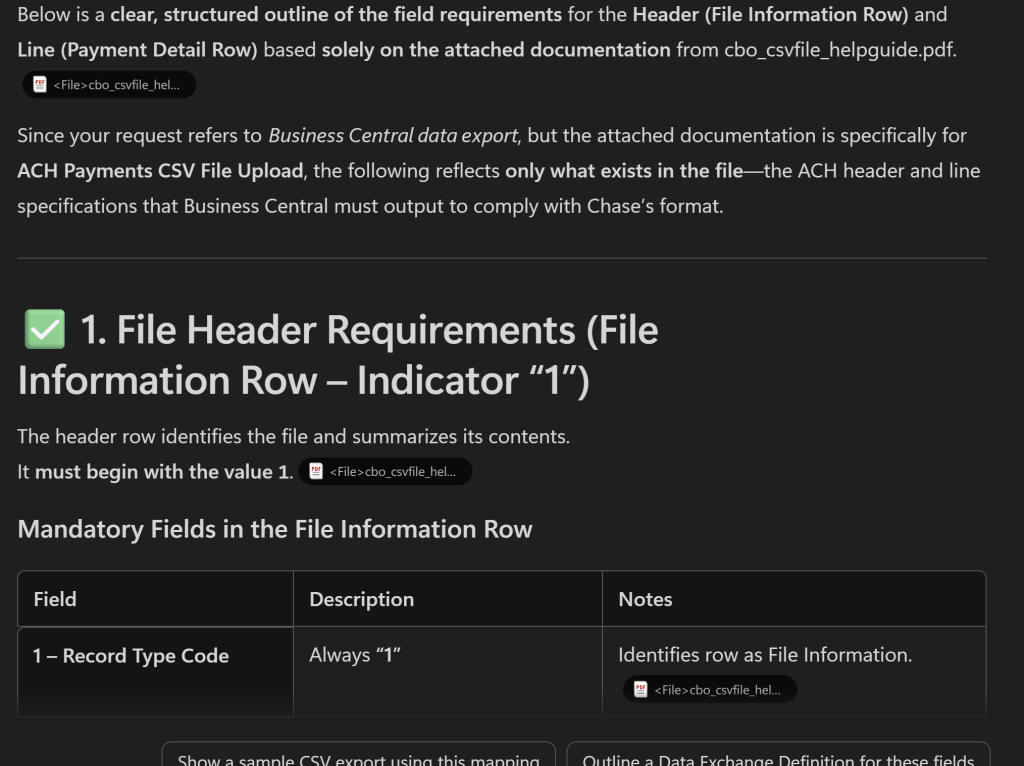
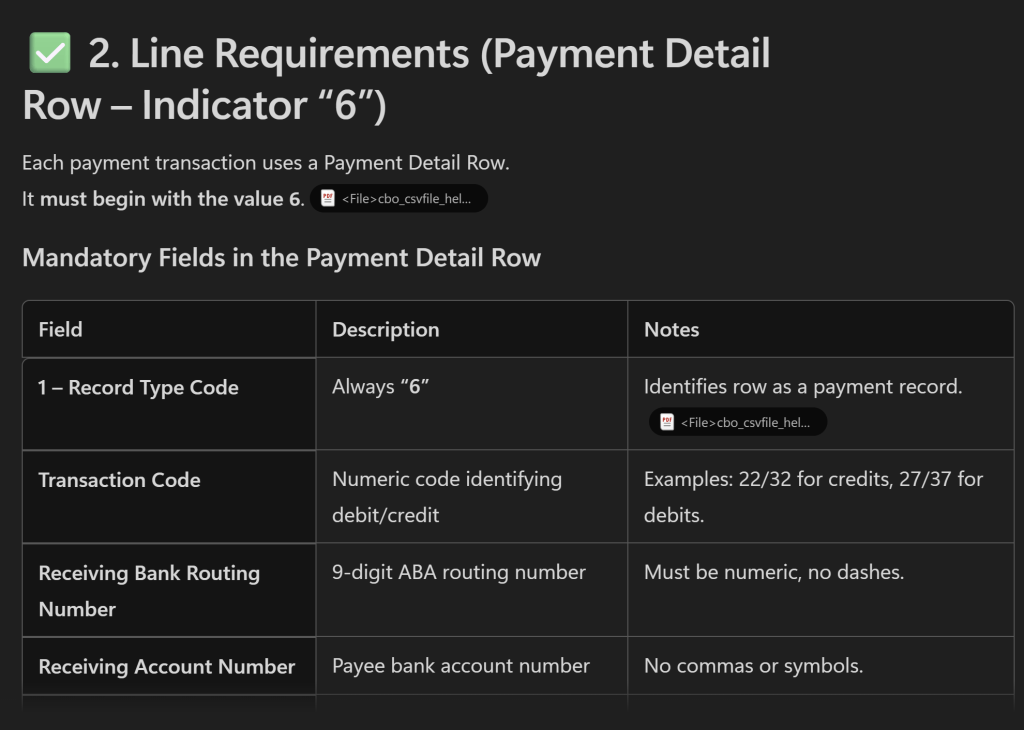
I can now ask Copilot questions about the file. “Review the attached documentation and outline the field requirements for the header and line definitions for a business central data export.”
The response clearly summarized the header and line details I needed for the expected export.
Next I changed the system over to “Researcher” mode.
I want to enable the system to go beyond the documents I’ve provided and utilize all the other documents I have created, as well as search the web.
Here I asked the system to “map to Business Central referencing the Contoso sample data in a default Business Central implementation.” The system generated a Word Document for me to review with some excellent tables and recommendations.
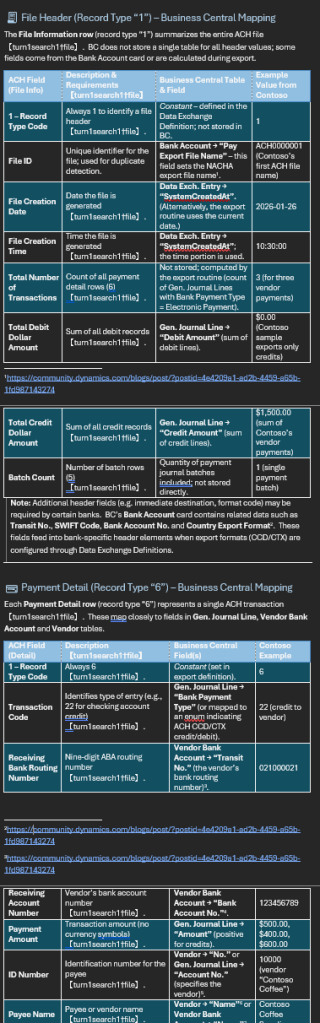
The documentation was full of references, sited sources, and everything I needed to validate any result that didn’t look quite right. I could align the sample data with the documentation as well as references the Contoso sample data when available.
As a “gray beaded” developer, this saves me time in the parsing of yet another file export format. To newer developers I’m recommending this as a means to fact check their work. In both cases, if the human and the AI don’t agree, it is something that should be researched and validated.
I have been using Copilot for these tasks for a few months now, and it has really helped me parse file and API requirements faster. While I don’t find the AI results to be 100% correct, the act of critically reviewing the outputs has allowed me to understand the system and make the necessary adjustments.
This also solves another problem, the paralysis new request and a blank page. I know some people are excited by a new task and a blank page, but sometimes I find it intimidating. There is a huge weight on starting a new task and facing that blank word document. The Copilot agent doesn’t have any motivational issues, and having it start the documentation for me gets me over that hurdle. It is like having that coworker that is always ready to go, even before you’ve finished your coffee.
Regardless of your skill level, I recommend leveraging your Copilot for support in understanding and generating technical documentation. Having an assistant to ask questions, summarize data, and validate assumptions is a great asset.
Have you used Copilot to help you parse through a technical document? Let me know in the comments.




 Aardvark Labs
Leave a comment