

When developing a Business Central extension, you might often run the same test loop repeatedly. Working on complex processes that require extensive navigation can be time-consuming. I frequently spend a lot of time navigating to the desired location, running a quick test, and then returning to the code. Additionally, it is important to verify that your new solution doesn’t break existing functionality, which involves running regression tests.
The Page Scripting feature of Business Central is really helpful here. It gets better when you apply some automation and scripts to the process. To automate some of the script execution we can use the BC-Replay tool set.
The first step in this process is to install NPM. NPM is the Node.js Package Manager. You can download the installer here: Node.js — Download Node.js®
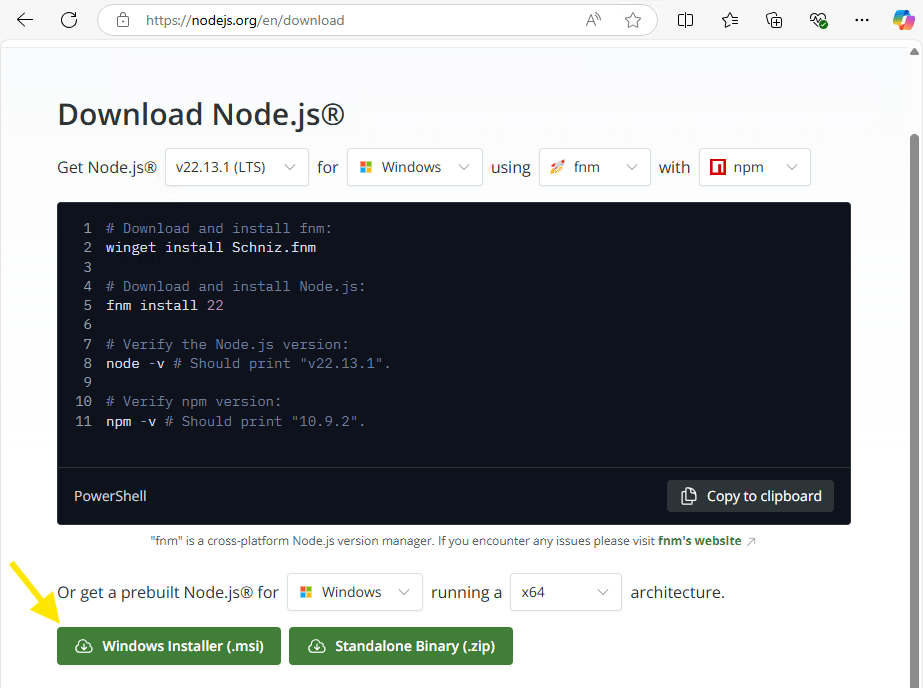
Complete the installation process with the default recommendations, also check the “Automatically install the necessary tools” option.
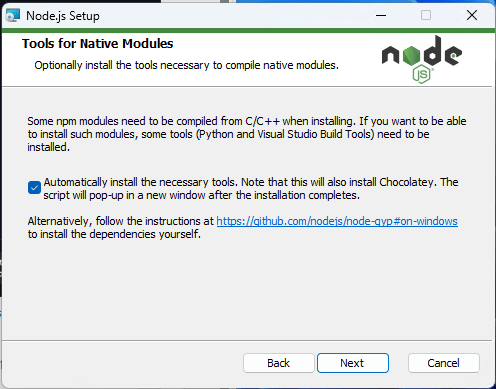
The installation will take a little while, and additional windows will pop up as it goes. Don’t let it fool you! When it says it is done, there are more script pages that will run.
When all that is complete, create a folder where you would like to store and run your scripts. I’m going with c:\testscripts.
Open PowerShell and navigate to the folder you created.
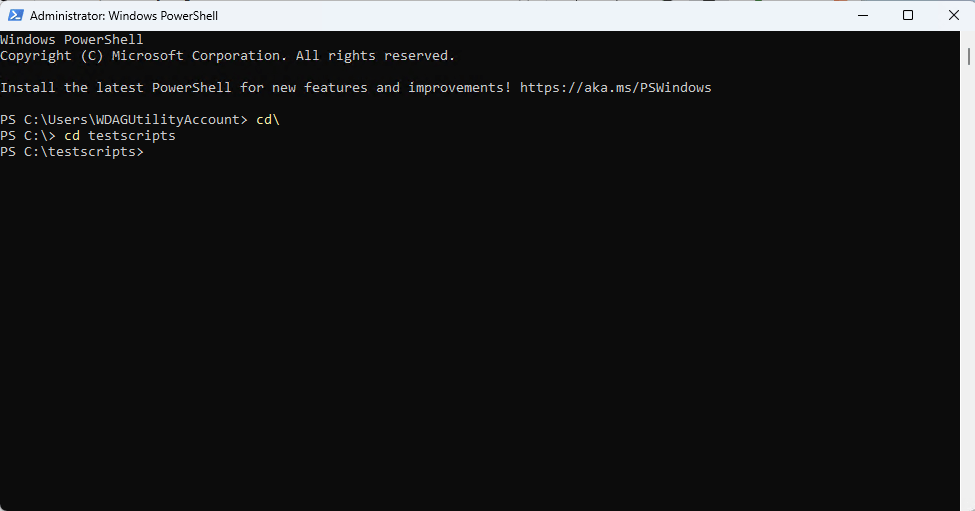
Next run the command: npm install @microsoft/bc-replay –save
If you get an error message like “npm : File C:\Program Files\nodejs\npm.ps1 cannot be loaded because running scripts is disabled on this system.” Then run the following command:
Set-ExecutionPolicy -ExecutionPolicy RemoteSigned
Press ‘Y’ when prompted. Then run the “npm install @microsoft/bc-replay –save” command again.
Once complete, run the command: npx replay
If you get an error message: ‘pwsh’ is not recognized as an internal or external command, operable program or batch file. Then we are missing some PowerShell components.
Download the latest PowerShell: Install PowerShell on Windows, Linux, and macOS – PowerShell | Microsoft Learn
If the npx replay command results in something like this:

Then everything is installed. Press enter a few times to get out of this step. It will result in the program complaining, but we aren’t ready yet. We are going to need some script files to run.
To start generating a Page Script we will need open Business Central, login in and click on the Gear in the upper right corner and select “Page scripting”.
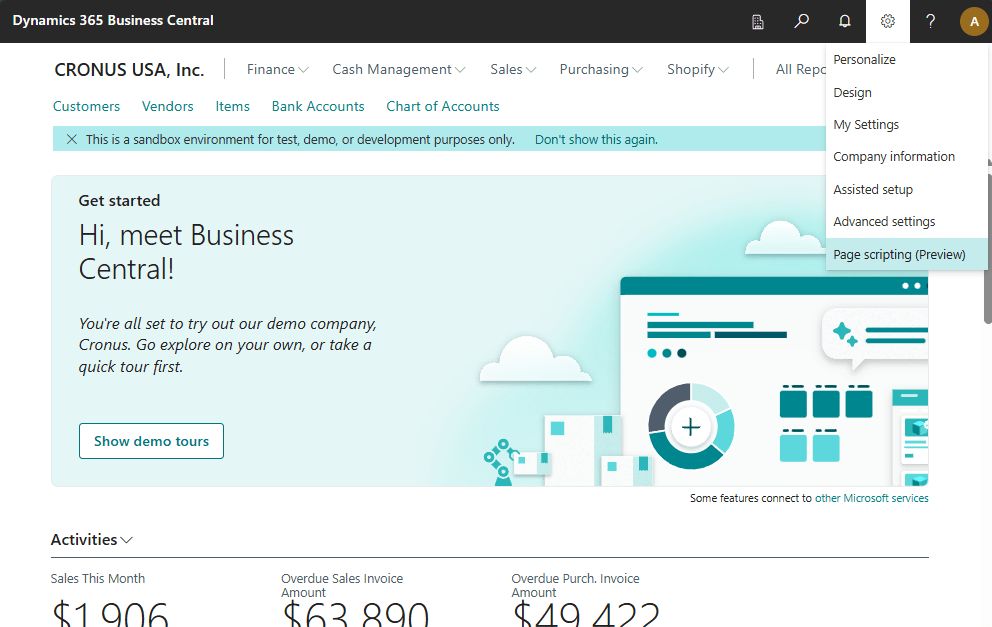
This will open a new window. Click “Start new” to begin generating a new script.
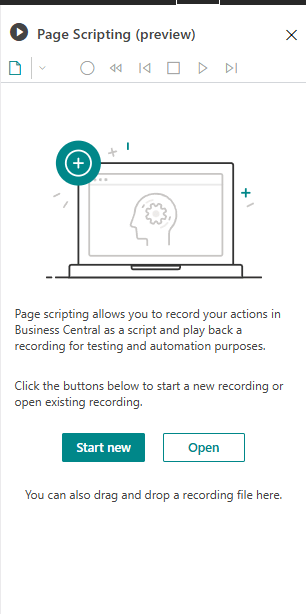
Now, just work in Business Central as you would, the page scripting tool will record your actions.
When you are done, click the square Stop button.
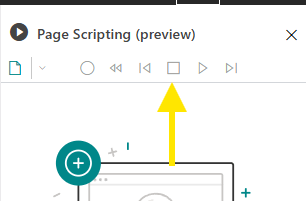
After stopping the recording, click the Save button.

I’m going to save the recording file all the way back to the c:\testscripts folder I created earlier.
I’ve created a little PowerShell script that will run this script.
$env:USERNAME_ENV='Admin'
$env:PASSWORD_ENV='P@ssw0rd'

cd "C:\TestScripts"

npx replay "C:\TestScripts\Recording.yml" `
-StartAddress 'http://AardvarkLabs/BC/?tenant=default' `
-Authentication UserPassword `
-UserNameKey USERNAME_ENV `
-PasswordKey PASSWORD_ENV `
-Headed
This script runs the npx command to start the replay application. We specify the script to run (this can be a wildcard list of scripts), the address of the BC server, in this case my Docker, username, password, and the “headed” flag so that I can watch it run in a popup browser.
When I run this script, a browser pops up, runs the recorded script, and disappears.
I can now run “npx playwright show-report” and a web page will popup with the results.
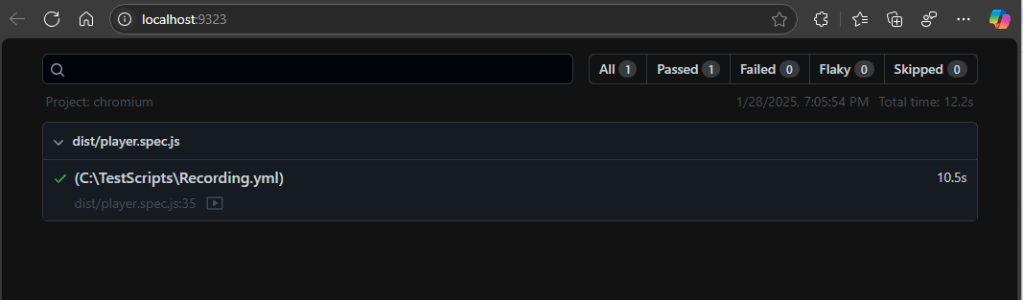
When I click on that script, I get a list of steps and a video recording of the script running.

When you run multiple scripts at the same time, you get a list of results including if they passed or failed.
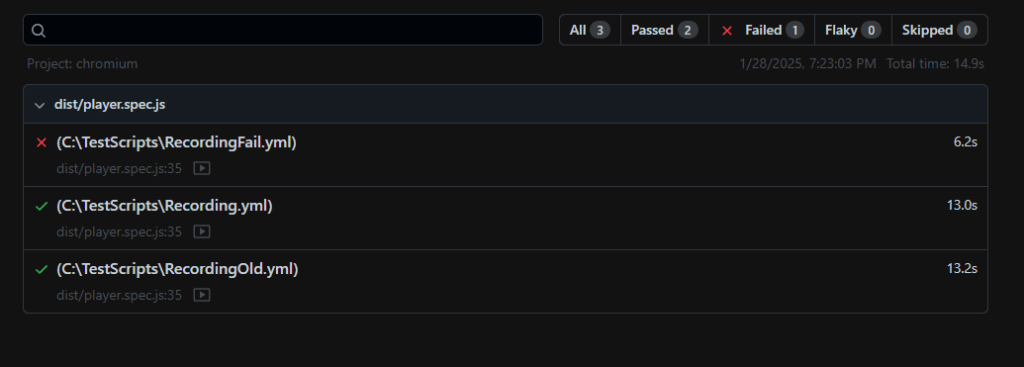
The YAML files that the scripting tool generates are human editable. There is the capability to add variables and run test conditions. You can read more about here: Use page scripting tool for acceptance testing (preview) – Business Central | Microsoft Learn
This is a new system, and there are some things to note.
- File paths with complex characters like a “-” can cause the system to not find the test file.
- You must start your recording from the screen immediately after login, don’t navigate away and start recording on a different page.
- If you get stuck at “Serving HTML report at http://localhost:9323. Press Ctrl+C to quit.” after running “npx playwright show-report” find Node.js JavaScript Runtime in task manager and end it.
- It cannot access a Business Central system with MFA.
Now keep in mind, this is not a replacement for Test Extensions as a part of your CI/CD pipeline. At the time of writing this AL-Go doesn’t support these page scripts as part of the pipeline process. Also, the level of detail and validation that the page scripts provide are not at the same level as a Test Extension.
UPDATE: You can now use Page Scripts as part of you CI/CD pipeline.





 Aardvark Labs
Leave a reply to Hà Thanh Huy Cancel reply