

BC AL Journey #22
In BC AL Journey #21 we dove deeper into the world of AL Triggers and specifically the Page triggers, specifically the ones related to page loading. This was a continuation of the BC AL Journey #10 where we introduced triggers. This time we are going to look at the record event-based Page triggers.
The next four essential triggers are related to record handling for new, insert, modify, and delete actions. With the exception of the “new” trigger, each trigger has a corresponding Table trigger. You might ask yourself “why”?
Data validation should be performed at the table level, that way regardless of the page the user interacts with data integrity is maintained. Remember, in the land of Business Central, someone can create a new page using your table and not implement any of the page rules. This is why it is critical that all data integrity activity is done at the table level.
The purpose of these triggers is to assist the user in entering data based on the scope of the page. There are times where you want to increase the quality of the data by prompting the user to enter specific details, but don’t want them to be required at the table level.
Let’s run through some scenarios to see how these triggers might be used.
Page Triggers
I’m going to add more triggers to our test page so that we can monitor when they fire and what values they contain. I’ve also updated the triggers so that we can see if they are fired from the List page or the Card page.
trigger OnNewRecord(BelowxRec: Boolean)
begin
    Message('Card: OnNewRecord: Rec: %1, XRec: %2, BelowxRec: %3', Rec."No.", XRec."No.", BelowxRec);
end;

trigger OnInsertRecord(BelowxRec: Boolean): Boolean
begin
    Message('Card: OnInsertRecord: Rec: %1, XRec: %2, BelowxRec: %3', Rec."No.", XRec."No.", BelowxRec);
end;

trigger OnModifyRecord(): Boolean
begin
    Message('Card: OnModifyRecord: Rec: %1, XRec: %2', Rec."No.", XRec."No.");
end;

trigger OnDeleteRecord(): Boolean
begin
    Message('Card: OnDeleteRecord: Rec: %1, XRec: %2', Rec."No.", XRec."No.");
end;
When a page is opened and the request is for new record, the OnNewRecord trigger is fired. This trigger includes a BelowxRec Boolean which is saying if it will be adding the new record at the database index after the last record in the table. The xRec variable is loaded with the data from the last record in the table.
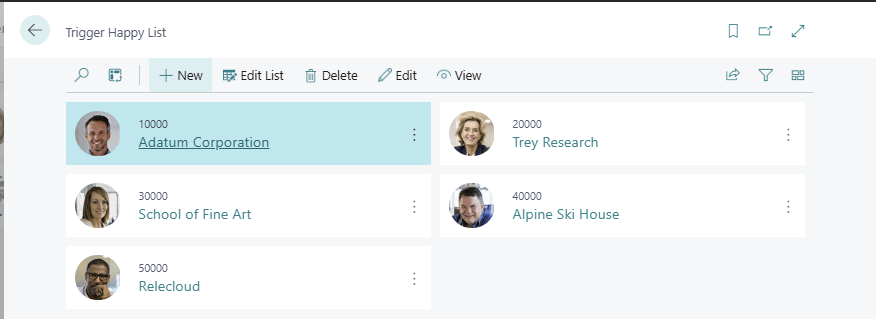
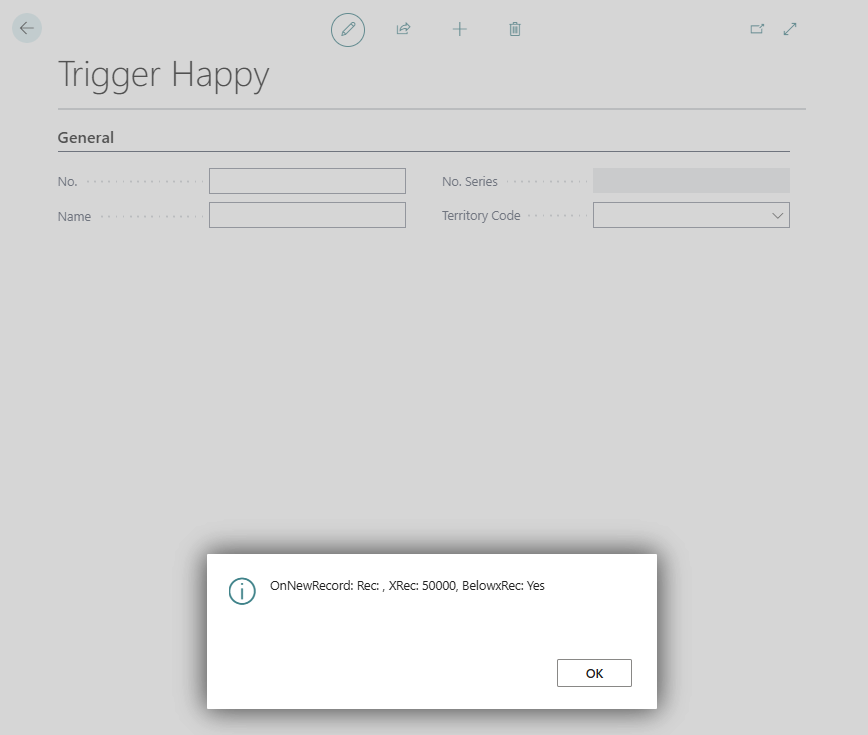
| Card: OnNewRecord: Rec: , XRec: 50000, BelowxRec: Yes |
| Card: OnAfterGetCurrRecord: Rec: , XRec: |
We see the first trigger to fire is the OnNewRecord trigger with the XRec of record 50000, and an empty Rec. We also see the OnAfterGetCurrRecord trigger from last week, with no Rec or XRec value.
What can we do during the OnNewRecord trigger, well if we knew that the user was expected to only enter data for a territory associated with their User Record, we could prepopulate the Territory field with known values.
An important note at this point, the record has not been created in the database yet, we have to populate the Primary Key fields first. Once I insert values into this record, in this case a No. of 60000 the OnInsertTrigger fires.
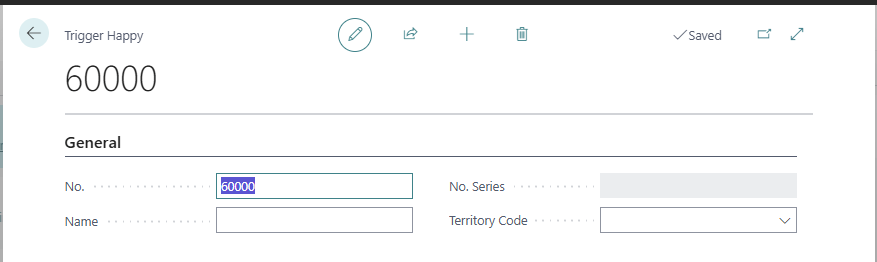
| Card: OnInsertRecord: Rec: 60000, XRec: , BelowxRec: Yes |
| List: OnAfterGetRecord: Rec: 60000, XRec: 60000 |
| List: OnAfterGetCurrRecord: Rec: 60000, XRec: |
| List: OnAfterGetRecord: Rec: 60000, XRec: 10000 |
This caught me a little off guard; look at all the calls to OnAfterGetRecord, I had to go back and add “List” and “Card” descriptors to the messages so I could track it down. We are seeing the list page refreshing as the Insert is carried out. If the list page was not open in the background, we would not have those additional triggers. The card only fires the OnInsertRecord trigger with the Rec of the current record.
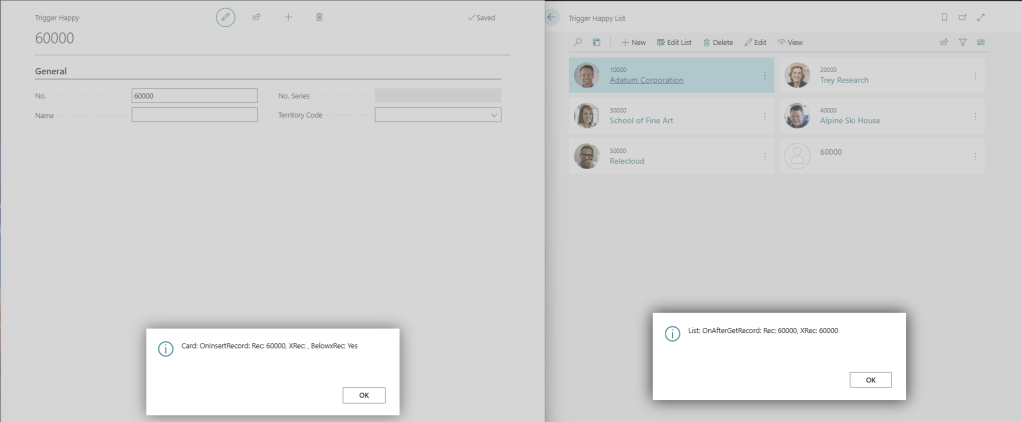
You can perform an exit(false); at the end of the trigger to prevent it from inserting the record. If you throw an error, the insert is canceled, but the page is not closed, and the user is prevented from performing any data updates.
When we change a value the OnModifyTrigger will fire.
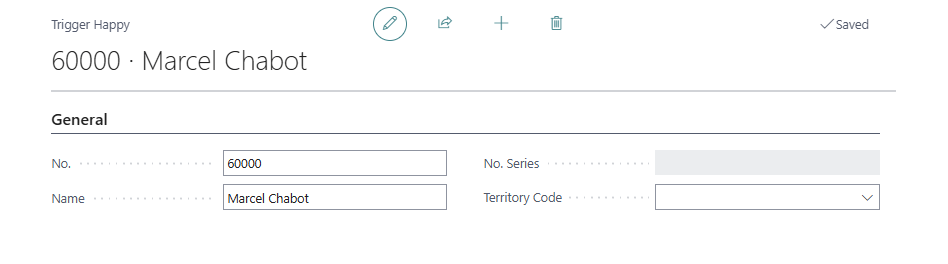
| Card: OnModifyRecord: Rec: 60000, XRec: 60000 |
| List: OnAfterGetCurrRecord: Rec: 60000, XRec: |
| List: OnAfterGetRecord: Rec: 60000, XRec: 60000 |
| List: OnAfterGetCurrRecord: Rec: 60000, XRec: |
| List: OnAfterGetRecord: Rec: 60000, XRec: 60000 |
| List: OnAfterGetRecord: Rec: 60000, XRec: 60000 |
| List: OnAfterGetCurrRecord: Rec: 60000, XRec: |
| List: OnAfterGetRecord: Rec: 60000, XRec: 60000 |
Again we see the card OnModifyTrigger fire, then the List page in the background refreshing.
The OnModifyTrigger allows you to perform an exit(false); to prevent the data from saving. This trigger is a good time to validate data that is specific to the user who is entering the data.
Last trigger is the OnDeleteTrigger. Predictably this trigger happens when the delete action is trigger on a page.
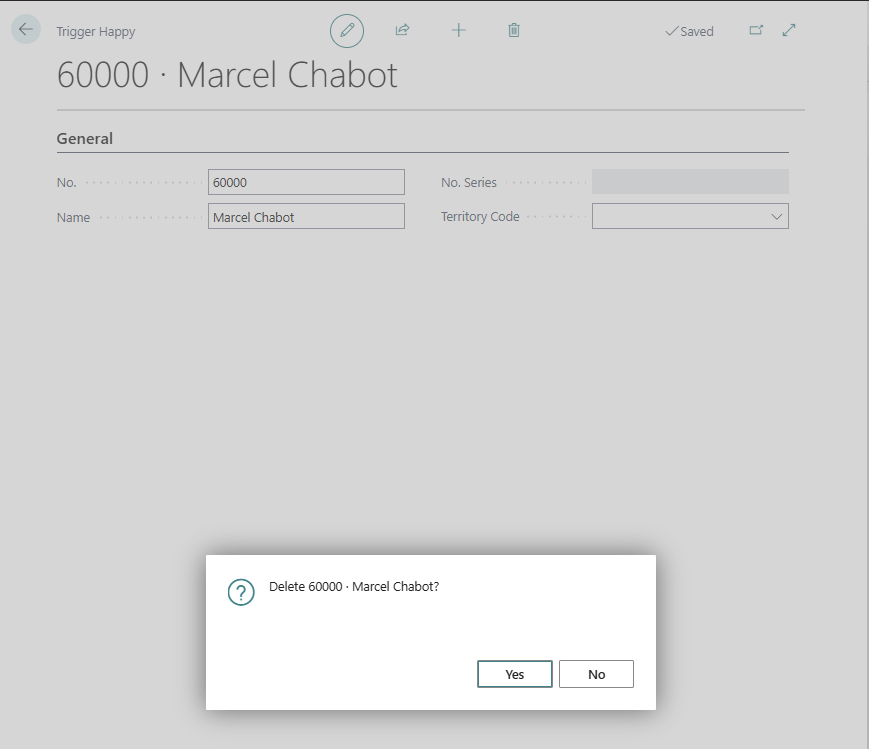
| Card: OnAfterGetRecord: Rec: 60000, XRec: 60000 |
| Card: OnDeleteRecord: Rec: 60000, XRec: 60000 |
Similar to the Insert and Modify triggers you can exit(false); to prevent the record from being deleted. A use case for this trigger might be to ensure that before deleting a record that the user has verified some values or moved required data to a new record.
There you have it, four more essential triggers for page management. Using these triggers, you can help guide your users through data entry, validation, and provide timely feedback on their data entry.
It is important to note how much “chatter” is happening in the background as well. If there is a list page open behind your current data entry card, actions on that card are causing triggers to happen on the other open pages.
There are several more triggers available on the Page entity and we will review them next week. For now, thank you for joining me and see you next week.
This trigger exploration is available in GitHub here: AardvarkMan/BC-AL-Triggers





 Aardvark Labs
Leave a reply to Essential Triggers for Page Management in AL Programming – Part 3 – Aardvark Labs Cancel reply