

As of the writing of this the Business Central 2027 release wave 1 is 18+ months away, however the scope of this change leaves no time to waste.
Currently in Business Central any Page can be a Web Service. You can use the magnifying glass, enter Web Services, and see a list of available Web Services.

You can see the Customer Card API is a Page with the object ID of 21. If we look at the customer Card we can see that the object id of the card page is 21.
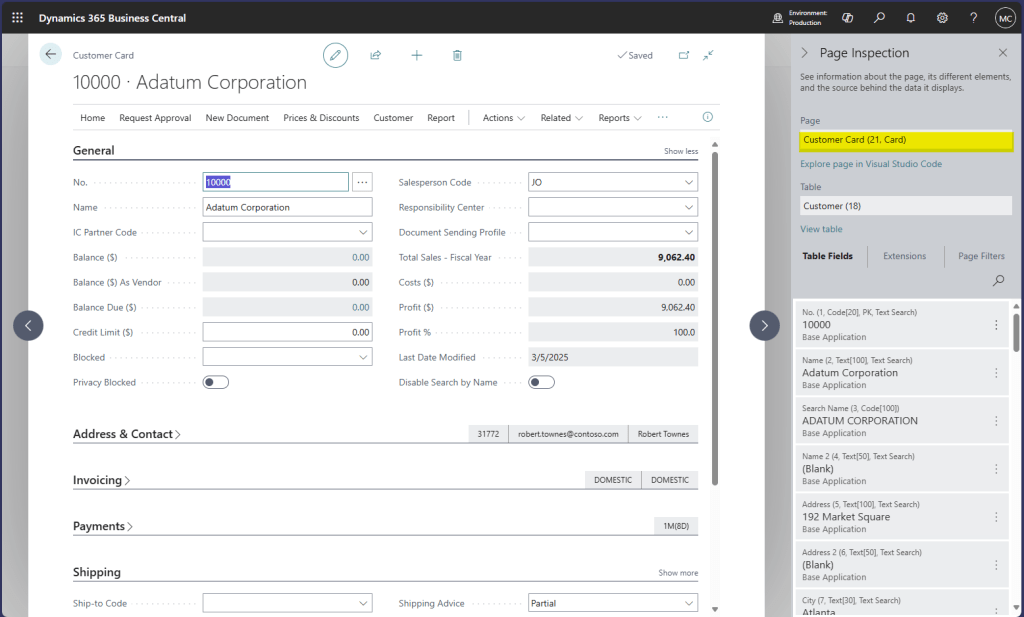
These two things are the same object. Changes to the card are changes to the API. This can be a feature in that we can create custom APIs that mirror the user interface super easily.
This feature is also a huge problem. If I create a process dependent on this API, and Microsoft updates the Customer Card it may break the interaction with the API. Microsoft does not want their Pages beholden to an API, User Interface updates should not be a breaking change to an API.
What is going to happen? With the release of Business Central version 30, the pages managed by Microsoft extensions will not be available as Web Service endpoints. If you are using these endpoints, your software will no longer be able to access Business Central. This includes Excel, Power BI, or any other system connected to the OData endpoint.
It is not all doom and gloom; we have 3 options to resolve this issue.
1. Switch to the Business Central API 2.0 endpoints.
2. Create a 2.0 API to replace the OData Web Service endpoint.
3. Create a copy of the Page and expose that as the OData Web Service endpoint.
There are a lot of existing API 2.0 endpoints. There is an odd thing about the documentation. Once you open the page, the list of end points is on the left side.
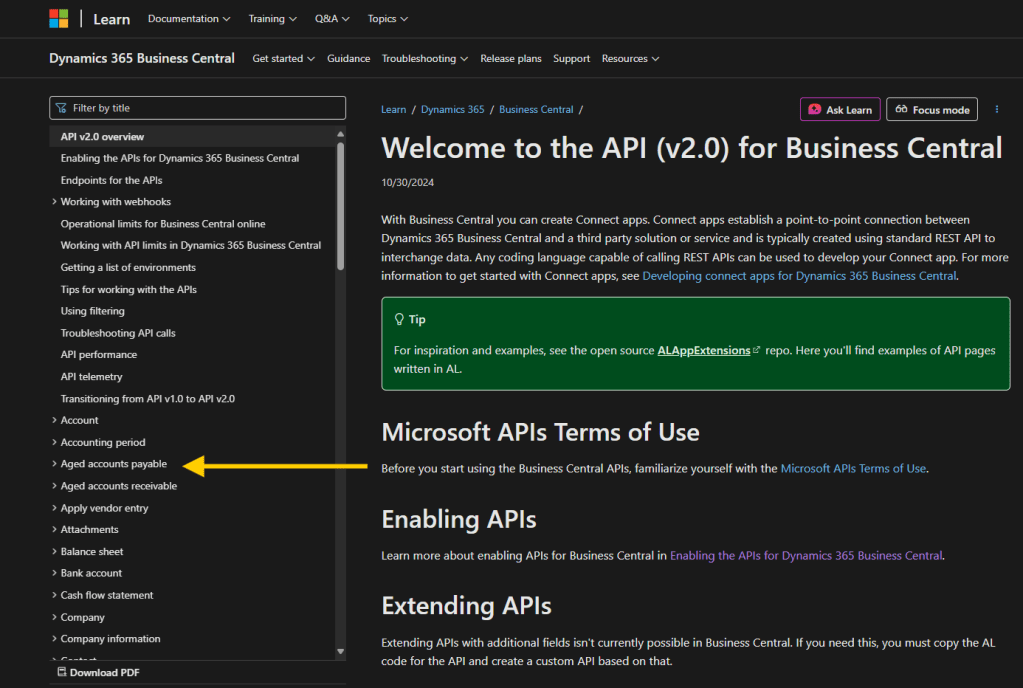
If there is not a 2.0 API endpoint that meets your needs, we are on to option 2.
We have covered creating a custom API in Business Central in two different methods. You can create a Page API or a Query API. If you have the time or resources, these are the best options to migrate. These are the newest technology and provide the most feature complete API system.
We don’t all have the time or resources to refactor to a new technology, so here is a backup option. Microsoft is only removing access to pages they create; we simply need to create our own replacement page. Let’s walk through that process here.
Let’s use the Customer Card as an example. We have a working API, we don’t want to have to replace it, we need the current system working going forward.
In Visual Studio Code, expand out the .alpackages folder and find the Microsoft_Base Application_<Version Number>.app file. Click on it to reveal the contents.
On the left-hand side, select Pages then double click on Page 21 Customer Card.
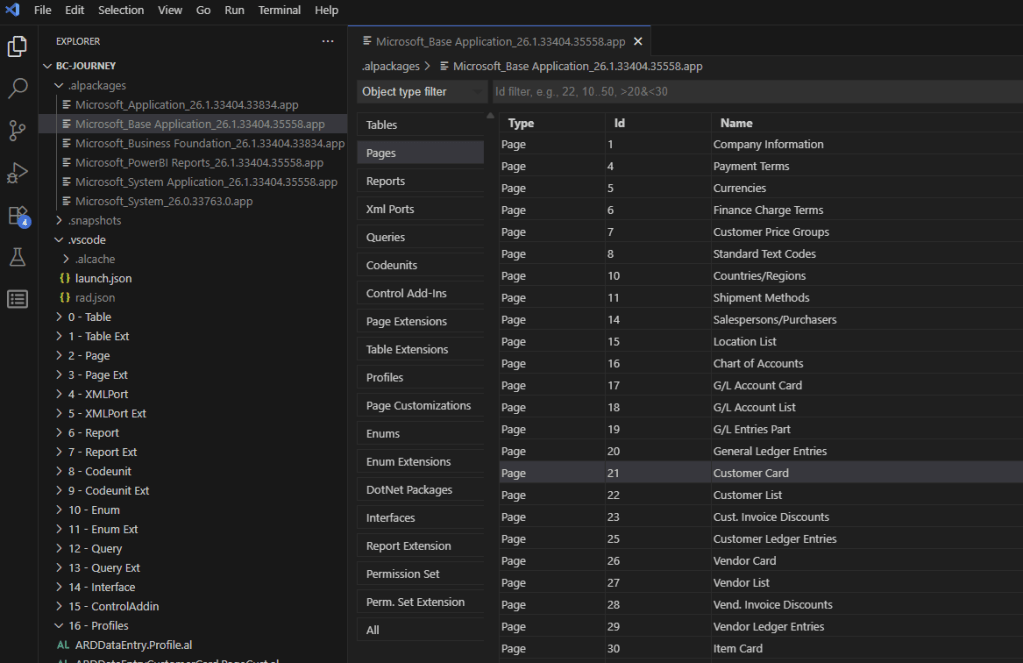
This will reveal all the source code for the Customer Card.
I’m going create a new page file, ARDCustomerCardAPI.Page.AL. Then I’m going to copy and paste the Microsoft code into my own file.
First step is to copy over all the Using statements from the Microsoft Page to our page, also turn the namespace reference into a using reference.
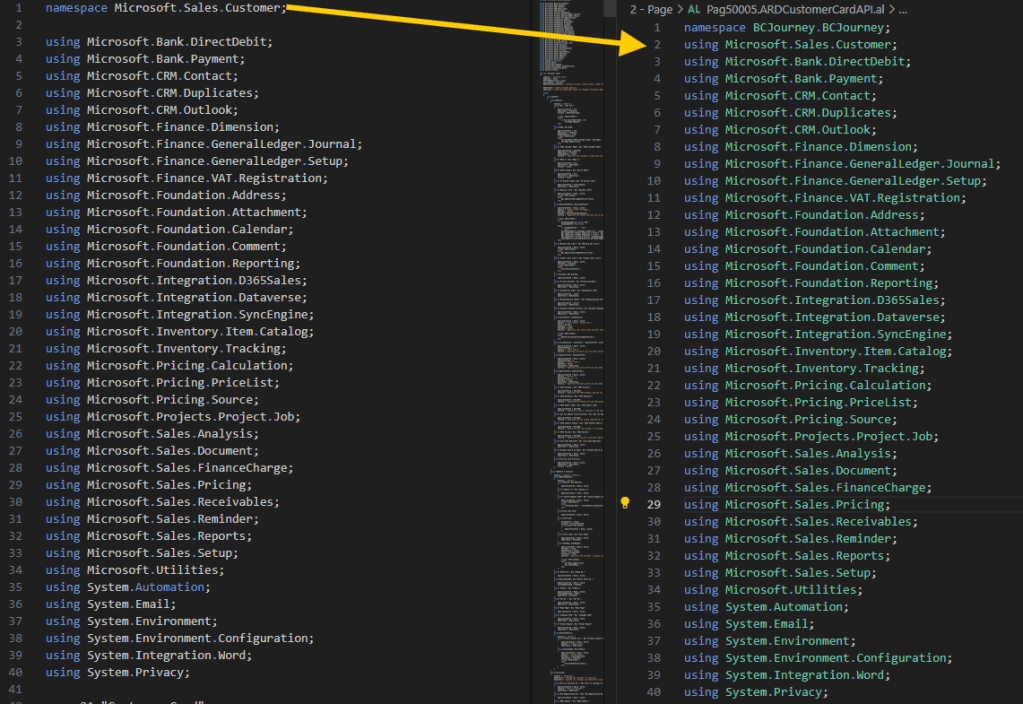
New we are going to take everything between the { and } of the page and copy it over.
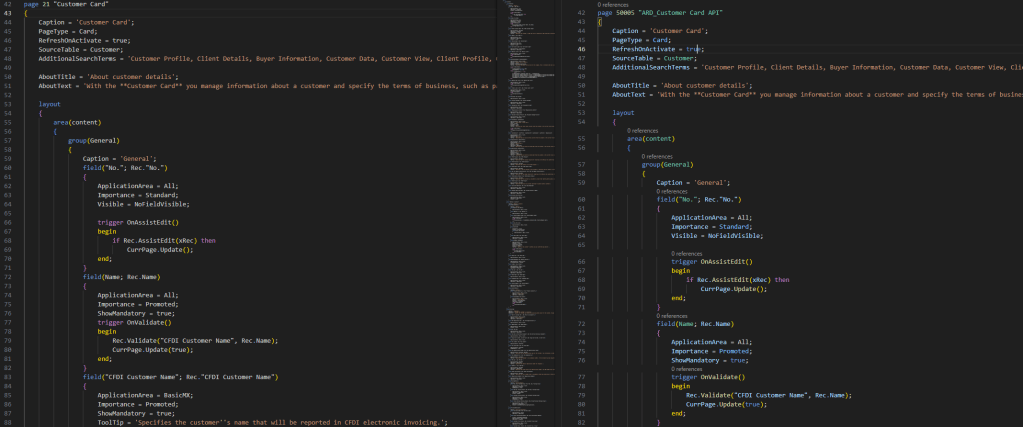
There are going to be some errors, don’t panic. In this case there are two local procedures related to background calculations. These aren’t relevant to how an API works, so we can remove them.
Removing those functions caused a few new errors, but they can be resolved easy enough. They are dealing with the procedures we deleted, and so we can delete the calls.
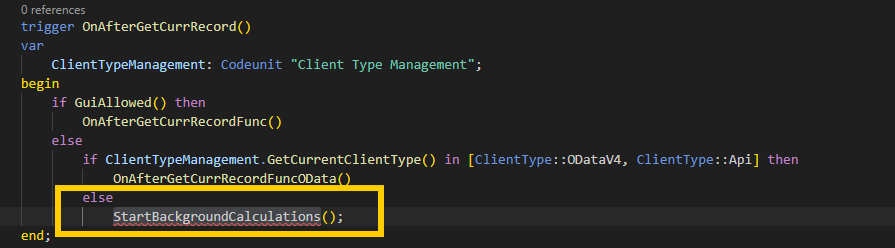
You can see in IF Statement before this block, if it is ODataV4 then we are not going to be running this code. ODataV4 is the thing we are working to protect.
Here is that code cleaned up.

There are a few other elements just like this. Once cleaned we have a page that is ready to be published.
Once published, I return to Business Central and the Web Services page. I find my offending page and I change the number from 21 to the new ID of our page, in this case 50005.
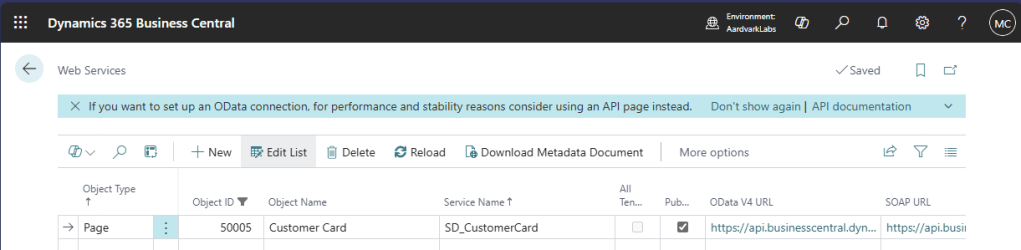
Hot Swap complete! Now we have a version of the Customer Card that is not under Microsoft control and is not subject to removal. If you have any Page Extensions against the Customer Card that you want included in your API, you will need to apply them to the new API Customer Card we have here.
Here is the code for the Customer Card we did here, just rename from .txt to .al.
I recommend cleaning up the page Captions and removing search terms, but this gets us up and running.
If you have any questions, please feel free to comment below. I know this will be a challenge for many of us, but we can get through this together.




 Aardvark Labs
Leave a comment