

One of the things I love most about software development is exploration.
Not exploration in the sense of discovering a new technology, although that’s certainly part of it. I mean the process of understanding an unfamiliar codebase, following relationships between components, and slowly building a mental model of how a system works. As Business Central developers, we do this constantly.
We inherit customer solutions. We onboard new team members. We troubleshoot issues in extensions we didn’t write. We attempt to understand years of customizations spread across tables, pages, reports, codeunits, events, interfaces, and subscribers.
And if you’re anything like me, you’ve probably wished for better tools to help make sense of it all. I know I have.
For years, I’ve had a mental list of things I wanted from an AL exploration tool:
- Visual dependency diagrams
- Object relationship maps
- Where Used analysis
- Architecture visualization
- Documentation generation
- A faster way to answer the question:“How does this actually work?”
The problem was that the tool only existed in my head.
An Idea That Sat on the Shelf
I’ve spent most of my career building Business Central solutions, not VS Code extensions.
Every time I thought about creating a tool like this, I ran into the same problem. Learning the VS Code extension framework, understanding the APIs, building the UI, packaging everything, publishing it, and maintaining it all felt like a project of its own.
Not impossible. Just difficult to justify.
Especially when the goal wasn’t to build a commercial product. I simply wanted a better way to explore AL projects.
So the idea sat on the shelf. For years.
Then I Started Experimenting with GitHub Copilot
Over the last year I’ve increasingly used GitHub Copilot as a development partner.
Like most developers, I started with the obvious use cases: generating code, writing tests, and helping with repetitive tasks.
But eventually I began asking a different question:
“What ideas have I been avoiding because the barrier to entry was too high?”
This project was one of those ideas.
I wasn’t suddenly a VS Code extension expert.
I still needed to understand the problem. I still needed to validate designs, test functionality, and make countless implementation decisions.
But Copilot dramatically reduced the amount of time spent staring at documentation trying to figure out where to begin.
Instead, I could focus on defining the experience I wanted as an AL developer and iterating from there.
And for the first time, the idea actually became a working tool.
Exploring AL Projects Visually
Dependency Diagrams
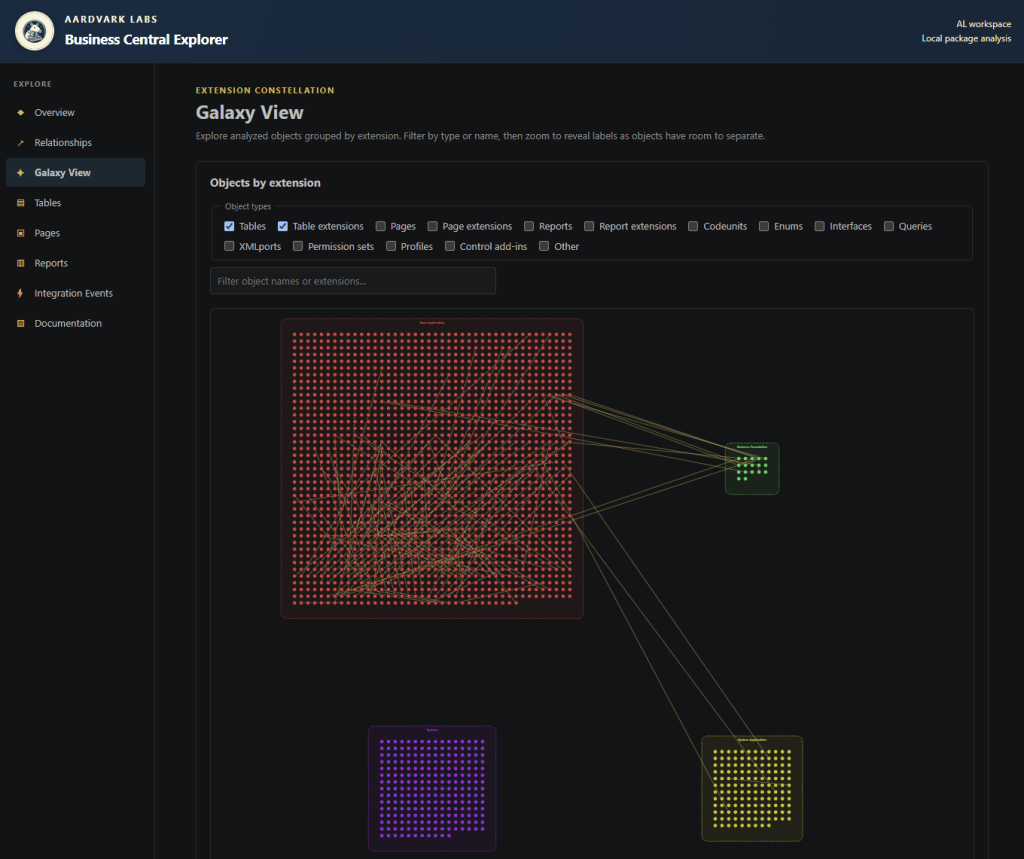
For large projects, understanding dependencies often means hopping between files, searches, and object definitions until a picture starts forming in your head.
The extension can generate visual diagrams that make those relationships easier to understand at a glance. I called this the Galaxy View.
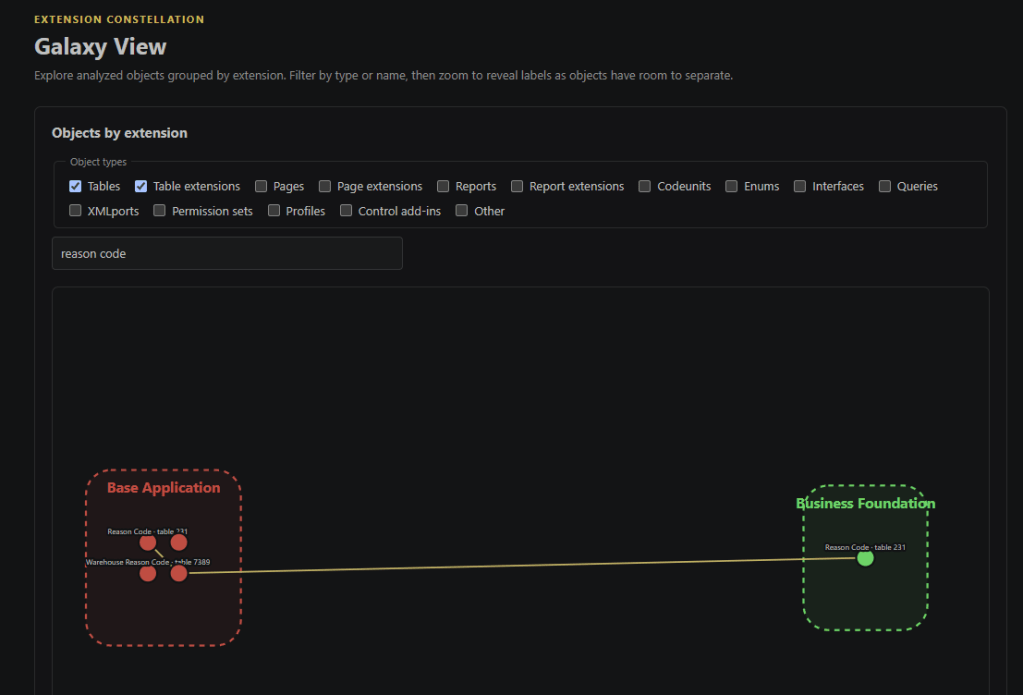
Each block is an extension, and the lines are Extension objects connecting to their primary object.
We can filter down by object name.
Relationship Mapping
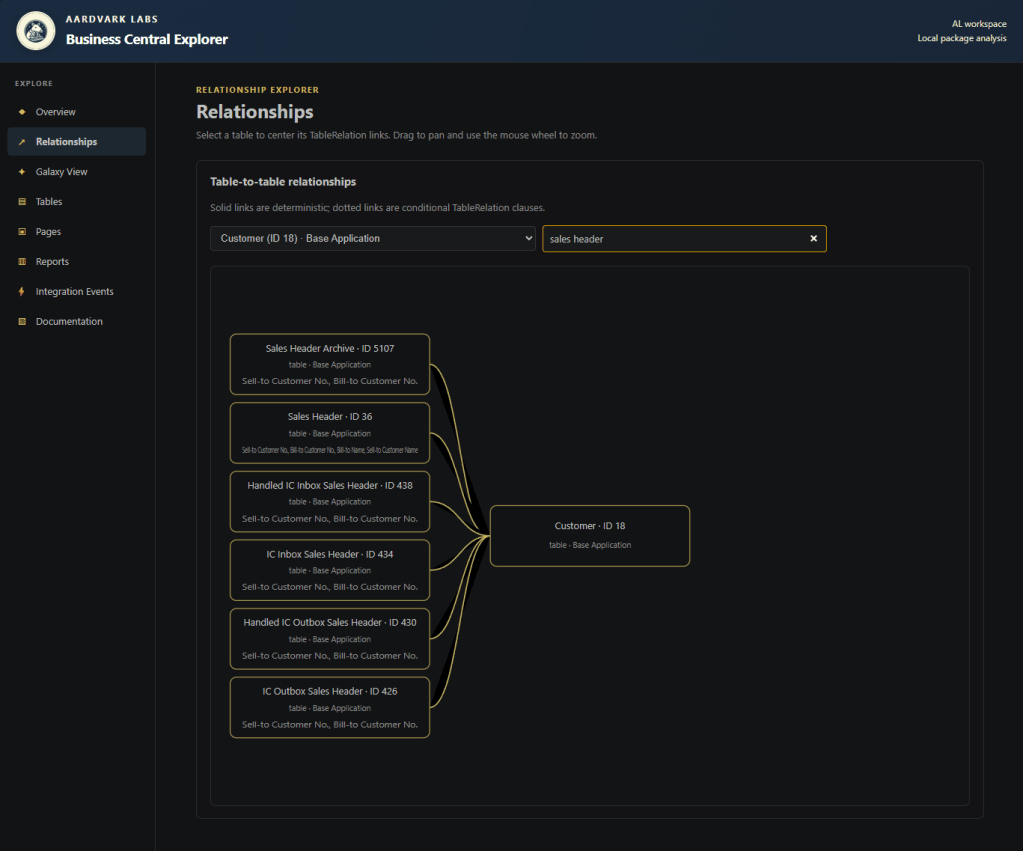
One of my favorite capabilities is the ability to explore how objects relate to each other.
When investigating a customization, understanding impact analysis, or onboarding to a new solution, seeing those relationships visually can reveal patterns that are difficult to spot from source code alone.
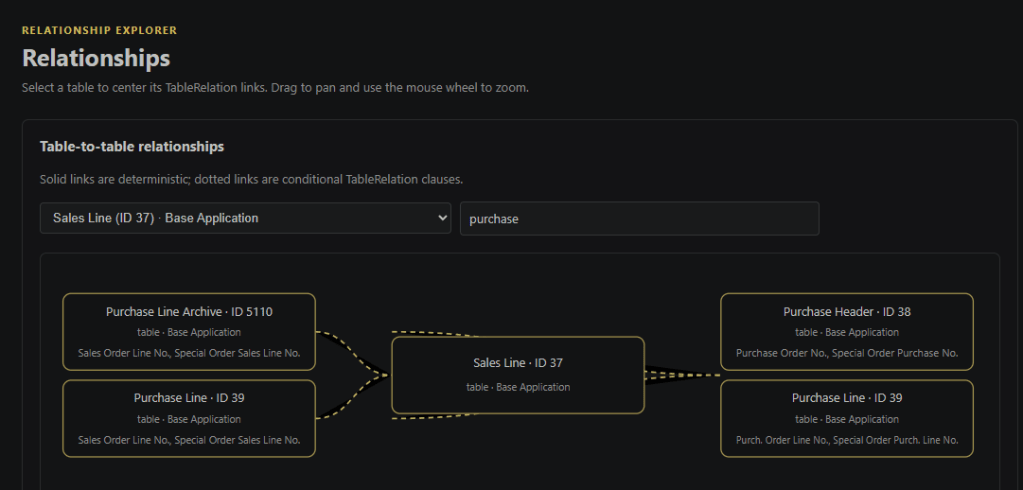
Table and field relationships are complex in Business Central. They are loosely defined on a per field basis. They can also be conditional relationships based on other fields. In this case solid lines represents a fixed relationship, and dotted lines a conditional relationship.
Where Used Analysis
Every developer eventually asks:
“What will I break if I change this?”
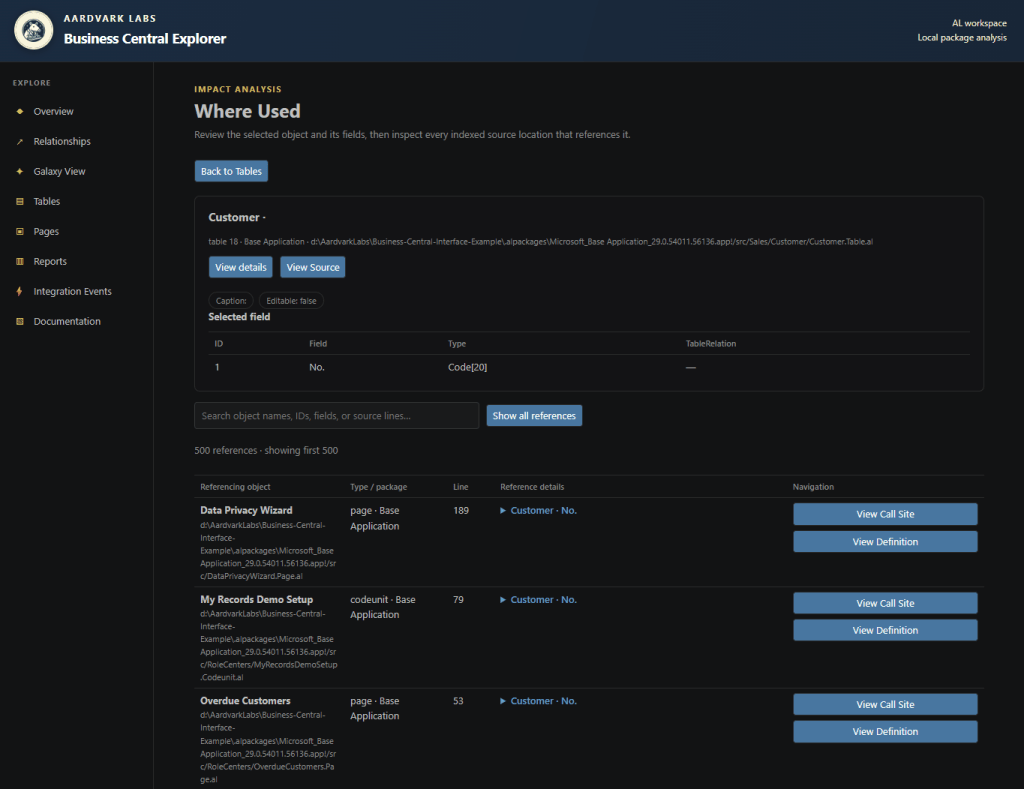
Where Used analysis helps answer that question by surfacing references and usage patterns throughout a project.
It’s useful for refactoring, troubleshooting, and simply understanding code written by someone else.
Where used really starts at the table explorer, and clicking the “where used” button.
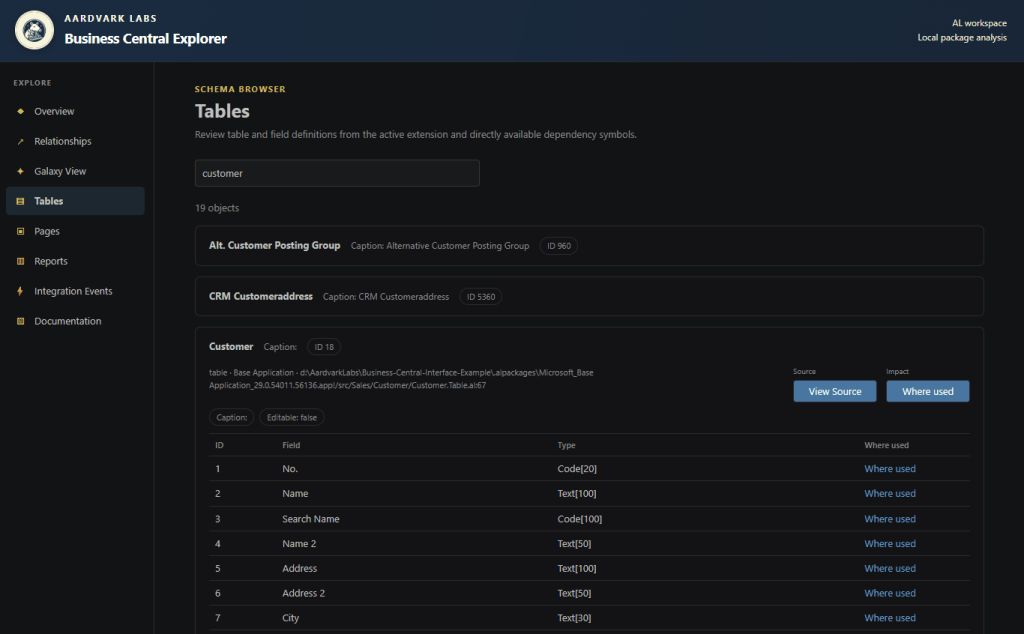
The resultant view allows us to dig into where it is used.
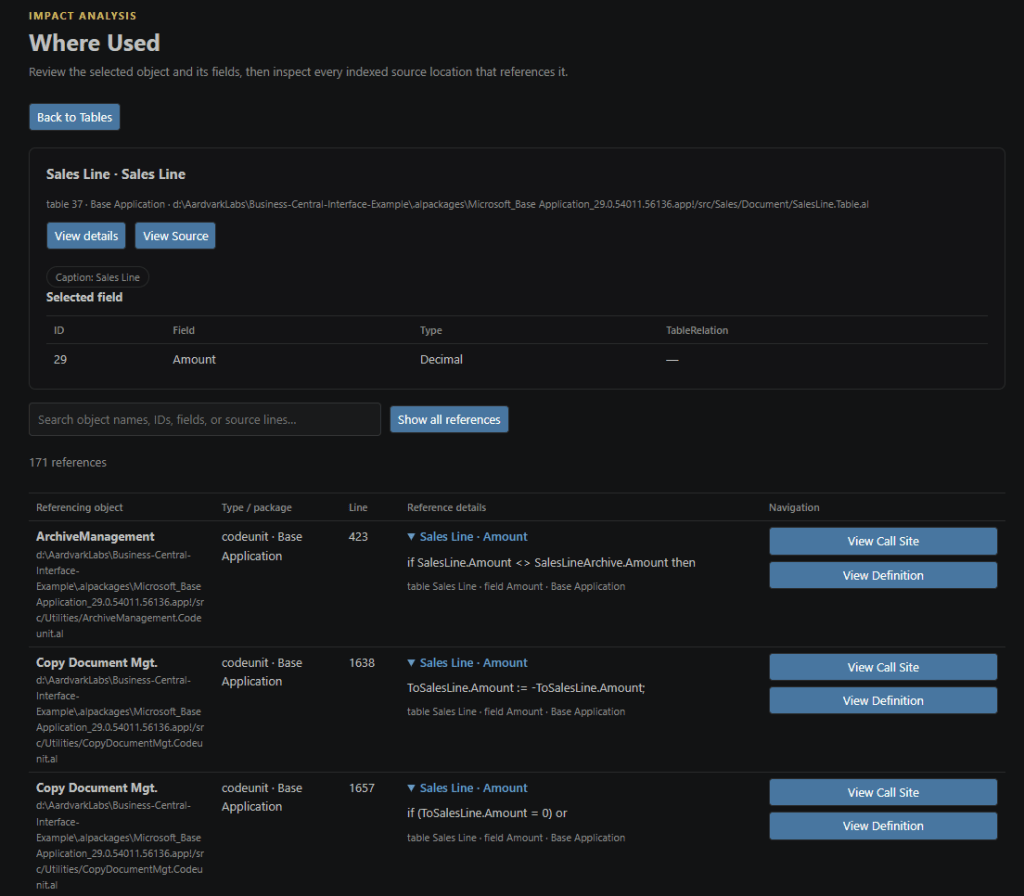
View Call Site brings you to the area where the field is used. It isn’t 100% accurate in the line number, but it is close. The View Definition brings you to the field itself.
Documentation Generation
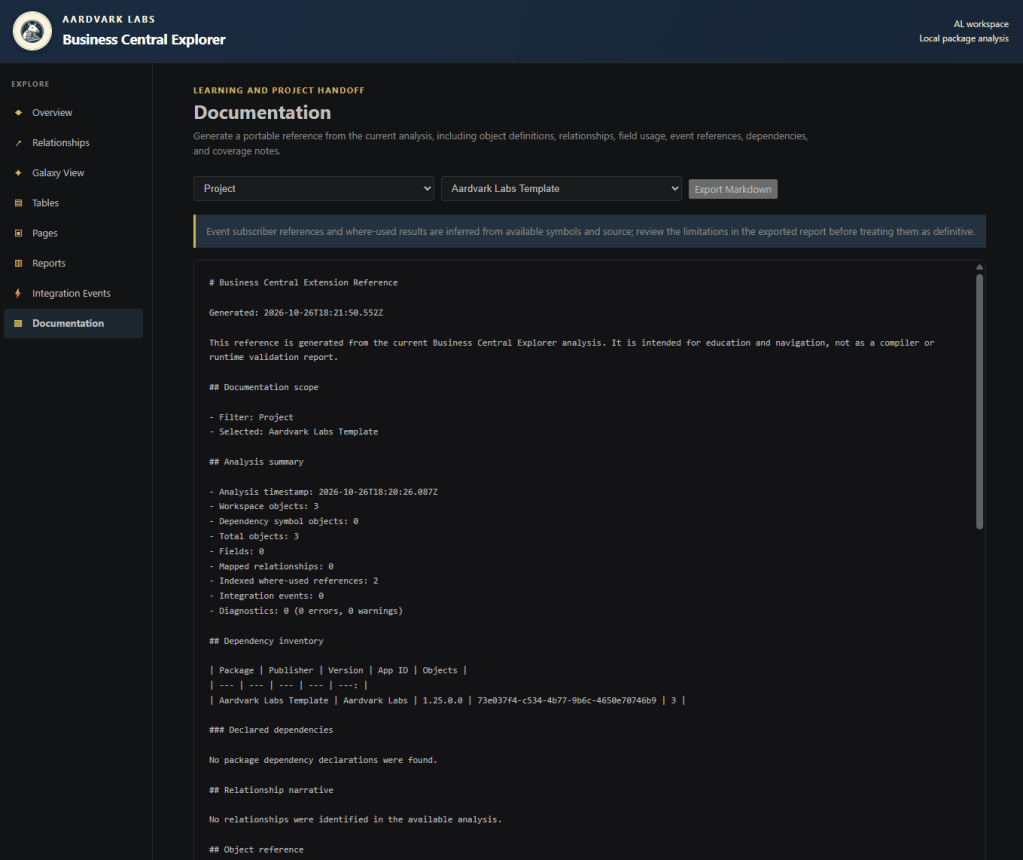
Documentation is one of those things every team appreciates and few teams have time to create.
The extension can generate documentation directly from the project, helping preserve knowledge and make solutions easier for others to understand.
Many More Features to Come
As I explore this further, and my GitHub Copilot Credits reset, I’ll be adding more features and tools. There are features like Integration Event explorer, Report reviews, Page overviews and such that are interesting and I’m planning new features.
Why I’m Releasing It for Free
This tool exists because I wanted it. I suspect other AL developers do too.
The Business Central community has always been remarkably generous about sharing knowledge, code, tools, and ideas. Much of what I’ve learned over the years came from people who took the time to publish something useful simply because they thought it might help someone else.
This extension is my attempt to contribute back to that tradition.
So rather than letting it live on my local machine, I’ve decided to publish it and make it available to the community.
The Bigger Lesson
The most interesting part of this project isn’t the extension itself.
It’s that the extension exists at all.
A year ago, this would probably have remained another item on a long list of ideas I’d never quite found the time to pursue.
Today, tools like GitHub Copilot are changing what’s possible for individual developers. They’re lowering the cost of experimentation and making it practical to build things that previously required learning an entire ecosystem before writing the first line of code.
That’s exciting. Not because AI replaces developers. Because it enables developers to spend more time building the things they’ve always wanted to create.
And sometimes, that’s enough to turn a long-forgotten idea into something real.
Available now on the Visual Studio Marketplace.
Business Central Explorer – Visual Studio Marketplace
You can grab the Source Code here, fork the project and add the features you like.
AardvarkMan/Business-Central-Explorer
As always, thank you for being part of the community. Let me know if there are any features you would like to see added and I’ll see what I can do.




Leave a Reply